
The Best Scheduling App for Service Businesses in 2026
On this page
The best scheduling app for a spa, barbershop, nail, lash or tattoo studio is the one that lets clients book a real service (with its own length and price) at a time you are actually free, reminds them before they come, and lets them move the visit without calling you.
For most solo practitioners that means starting on a free plan such as Square Appointments, Setmore, SimplyBook.me or Uply Meet, and paying only when you outgrow its limits. Teams that want a marketplace to bring in new clients usually end up on Fresha, Booksy or Vagaro, and should read the commission terms first.
Below we compare nine booking apps on what they cost, what their free or entry plan really includes, and which kind of business each one suits. Every price comes from the official pricing page, checked on October 25, 2026, and is linked so you can confirm it yourself. One disclosure up front: we build Uply Meet, so we say exactly where it fits and where another app is the better choice.
The best scheduling apps at a glance
This table is the short version of our search for the best scheduling app at each price point. It lists the cheapest plan each app sells, the reminders included at that level, and the fees that are easy to miss. Prices are US list prices in USD, billed monthly unless the note says otherwise.
| App | Free plan | Cheapest paid plan (monthly) | Reminders on the free or entry plan | Fees to check |
|---|---|---|---|---|
| Square Appointments | Yes, $0 per location | Plus, $49 per location | Free plan lists appointment reminders | Card processing, e.g. 3.3% + 30¢ online on Free |
| Setmore | Yes, up to 4 users | Pro, $5 per user (annual billing; monthly price not shown) | Free: email reminders, no text reminders | None listed on the pricing page |
| SimplyBook.me | Yes, 50 bookings a month, 1 provider | Basic, $13.90 | Free: basic email reminders | Text reminders sold as credits |
| Calendly | Yes, one event type | Standard, $12 per seat | Automated reminders start on Standard | Per seat pricing |
| Acuity Scheduling | No (7-day trial) | Starter, $20 | Email reminders; text reminders from Standard ($34) | Logo removal only on Premium |
| Fresha | No (7-day trial) | Independent, $19.95 (US pricing page) | Email notifications free; 100 free texts a month, then $0.02 each | 20% one-time commission on new marketplace clients, minimum $6 |
| Booksy | No (14-day trial) | $29.99 plus tax, +$20 per extra user | Confirmations and reminders included | Boost: one-time 30% of a new client's first visit, up to $100, only when Boost is on |
| Vagaro | No (30-day trial) | $30 for one calendar, +$10 per extra calendar up to 7 | Appointment reminders included | Marketplace fee not stated on the pricing page |
| Uply Meet | Yes, 1 staff member, 100 online bookings a month | Pro, $12 ($9 billed yearly) | Free: email reminders 24 hours and 2 hours before | No commission; Free shows a "Powered by Uply Meet" badge |
Two things jump out. First, "free" means very different things: Square's free plan is generous but earns through card processing, SimplyBook.me caps you at 50 bookings, and Calendly's free plan has no automated reminders at all. Second, the marketplace apps charge a fee on new clients they send you, which can cost more than the subscription in a busy month.
What makes a good app for scheduling clients
A good app for scheduling a team meeting and a good app for booking a 90-minute deep tissue massage are not the same thing. Meeting tools think in calls of fixed length. Service businesses think in services, rooms, chairs and staff. Before comparing prices, check these four basics.
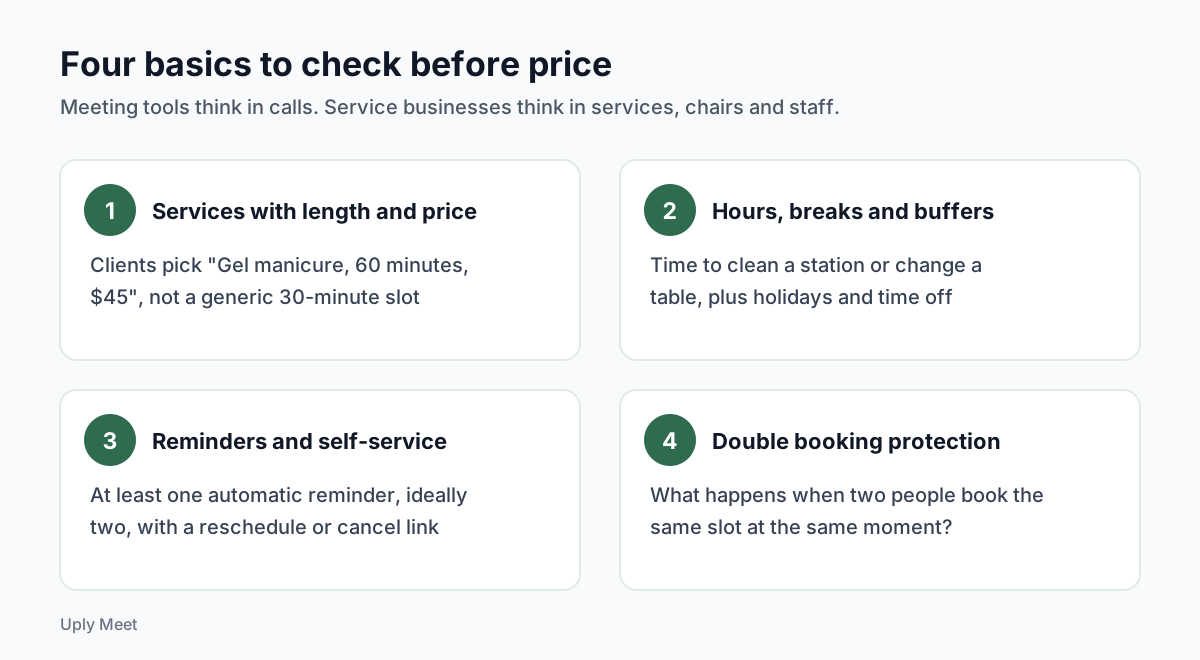
Services with their own length and price
Clients should pick "Gel manicure, 60 minutes, $45" rather than a generic 30-minute slot. If the app cannot store a duration and a price per service, you will end up fixing the calendar by hand. This is the single biggest gap between meeting schedulers and real scheduling software for services.
Working hours, breaks and buffers
You need time to clean a station, change a massage table or prepare a tattoo setup. Look for buffer time before or after each service, breaks inside the day, holidays and time off. Without buffers, back-to-back bookings quietly eat your setup time.
Reminders and self-service changes
Missed appointments are the cost nobody puts on the pricing page. In healthcare studies, a systematic review of 105 studies (Dantas et al., Health Policy, 2018) found an average no-show rate of about 23%.
A meta-analysis of text reminders in clinics (Robotham et al., BMJ Open, 2016) found that people who got notifications were less likely to miss their visit, and that more than one reminder worked better than one.
Those numbers come from clinics, not salons, but the lesson carries over: pick an app that sends at least one automatic appointment reminder, ideally two, and includes a link to reschedule or cancel. A client who can move a booking in ten seconds is less likely to simply not show up. For wording ideas, see our appointment reminder text examples.
Real protection against double bookings
Most apps hide a slot once it is taken. The weak point is two people booking the same slot at the same moment. Ask the vendor how they prevent that, or test it yourself with two phones. It sounds like an edge case until it happens on a Saturday morning.
The best booking app for each kind of business
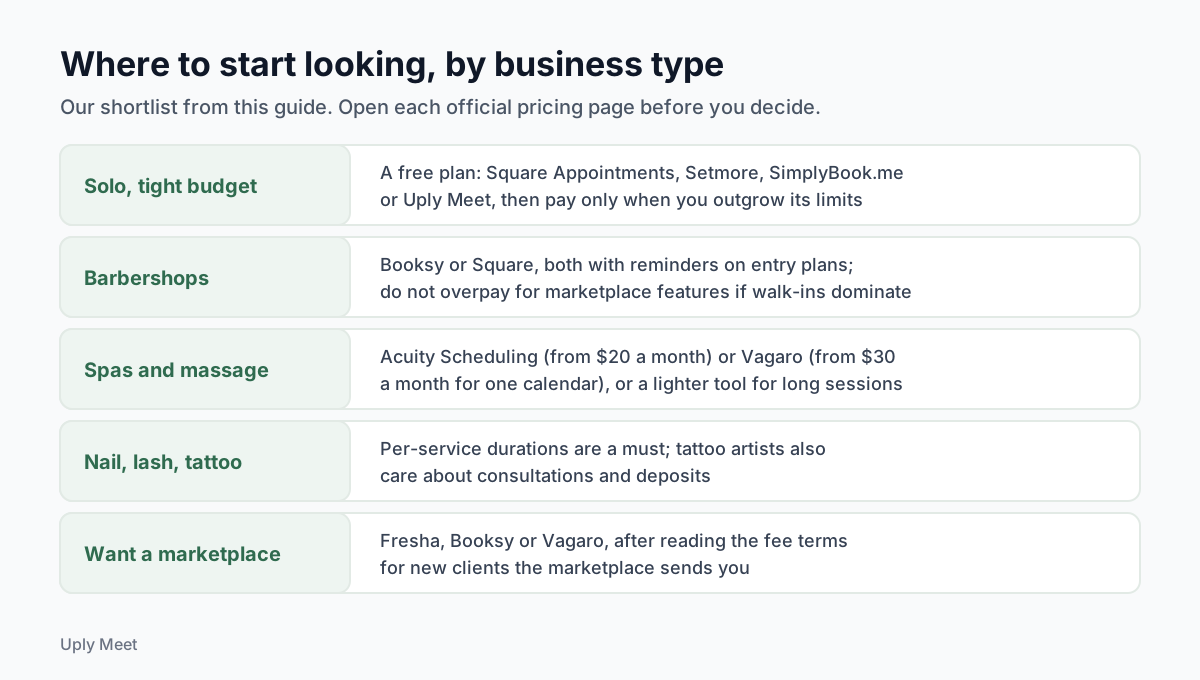
There is no single best booking app for everyone, and no single best scheduling app for small business owners either. Here is how we would choose based on how your business actually gets booked.
Solo practitioners on a tight budget
If you work alone and mostly rebook regulars, start free. Square Appointments makes sense if you already take card payments through Square. Setmore suits you if you want a free plan with email reminders and room for a few colleagues later. SimplyBook.me works for low volume, but 50 bookings a month runs out fast for a busy barber. Uply Meet's Free plan covers 100 online bookings a month for one staff member, with two email reminders per booking.
Barbershops and walk-in heavy shops
Barbers usually need short services, quick rebooking and a link they can share on social profiles. Booksy and Square both include reminders on their entry plans: Booksy costs $29.99 a month plus $20 per extra user, while Square Free is $0 per location plus card processing. If walk-ins fill most of your day, an online calendar is mainly for the regulars who want a guaranteed chair, so do not overpay for marketplace features. Our guide to a barber app covers what matters for chairs and short slots.
Spas and massage therapists
Longer services, buffers between clients and calm client communication matter more than speed. Acuity Scheduling (from $20 a month) and Vagaro (from $30 a month for one calendar) are established paid options with reminders included. If you mostly need clean booking for long sessions, a lighter tool may be enough. See what we look for in spa software and massage software.
Nail, lash and tattoo studios
Nail and lash techs juggle fills, sets and removals of different lengths, so per-service durations are a must. Tattoo artists book fewer, longer sessions and care more about consultations and deposits. We cover each case in our pages on nail salon software, the lash booking app setup and tattoo software.
Teams that want a marketplace
Fresha, Booksy and Vagaro list your business in a consumer marketplace. That can bring new clients, but read the fee terms: Fresha charges a 20% one-time commission on new marketplace clients (minimum $6), and Booksy's optional Boost takes 30% of a new client's first visit, up to $100. If most of your clients already know you, a marketplace fee pays for discovery you may not need.
Free plans: what the best free booking apps really include
Searching for the best free booking app is sensible when you are starting out. Just read the limits, because every free plan saves money in one place and recovers it in another.
The limits that matter
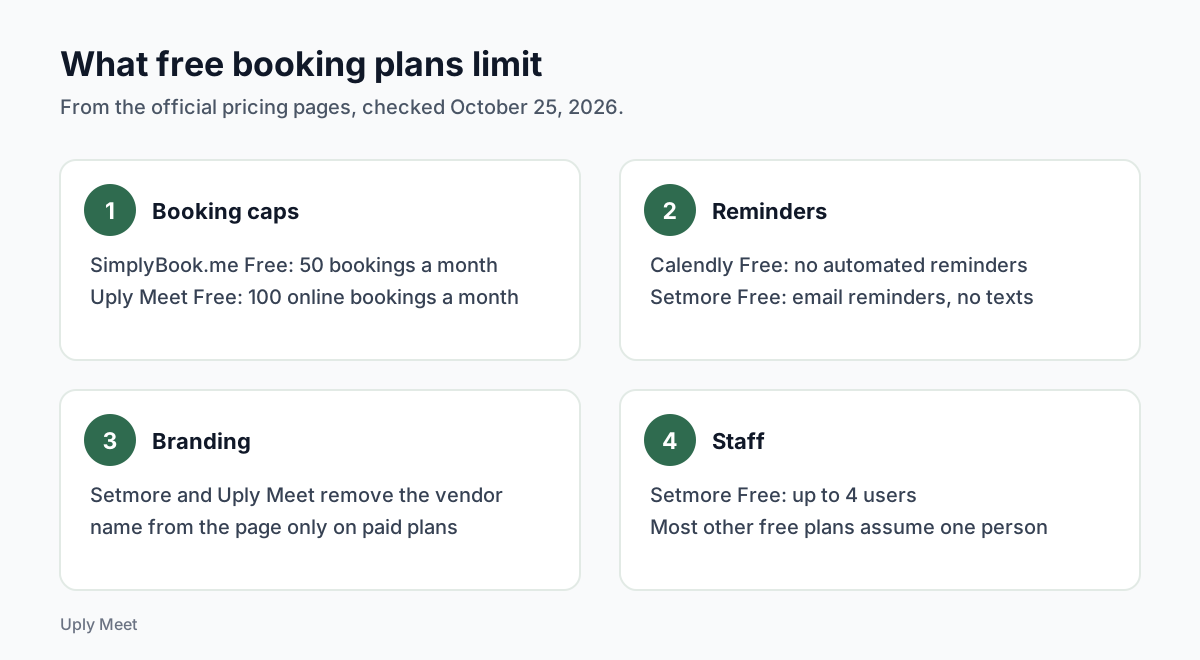
- Booking caps. SimplyBook.me Free stops at 50 bookings a month. Uply Meet Free stops at 100 online bookings a month.
- Reminders. Calendly Free sends no automated reminders. Setmore Free sends email reminders but not text reminders.
- Branding. Free plans usually show the vendor's name on your booking page. Setmore and Uply Meet both remove it only on paid plans.
- Staff. Setmore Free allows up to 4 users, while most other free plans assume one person.
Where "free" gets paid for
Square Free is $0 per location, and Square earns through card processing (2.6% + 15¢ in person and 3.3% + 30¢ online on the free plan, per its pricing page). That is fair if you would pay processing anyway, but it is not nothing. Marketplace commissions work the same way: the subscription looks small, the fee shows up later.
Our honest take: a free plan is the right start if you take fewer than about a hundred online bookings a month. Past that, a flat paid plan is often cheaper than juggling caps and fees, and the best scheduling app for you becomes the one whose full monthly cost you can predict. Our page on the free scheduling app question goes deeper.
How to choose a scheduling app in an afternoon
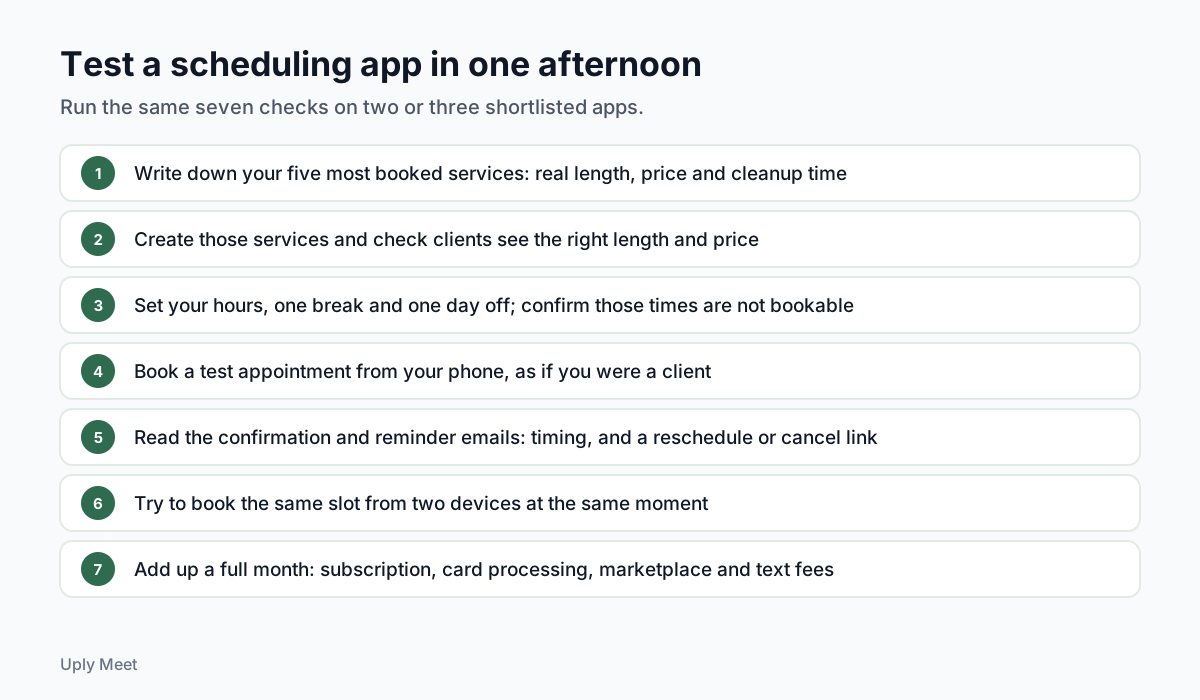
The best scheduling app on paper is not always the best one in your shop. You do not need a week of demos. Use this checklist with two or three shortlisted apps and you will know which one fits.
- Write down your five most booked services with their real length, price and any cleanup time.
- Create those services in each app and check that clients see the right length and price.
- Set your working hours, one break and one day off, then confirm those times are not bookable.
- Book a test appointment from your phone as if you were a client, in a different time zone if you have clients abroad.
- Check the confirmation and reminder emails: when they arrive, and whether they include a link to reschedule or cancel.
- Try to book the same slot from two devices at the same moment and see what happens.
- Add up a full month: subscription, card processing and any marketplace or text message fees.
Example message to announce your new booking link
Once you pick an app, tell your regulars. Here is an example you can copy and adjust. Replace the parts in brackets, and only mention reminders if your app really sends them.
Example: "Hi [first name], you can now book with me online at [your booking link]. Pick the service and a time that suits you. You will get a confirmation email, and you can move or cancel your visit from the link inside it. See you soon, [your name]."
Share the same link on your social profiles and in your email signature. One link, used everywhere, beats three half-updated calendars.
Where Uply Meet fits, and where it does not
We built Uply Meet for solo practitioners and small studios that want appointment booking without a marketplace or commissions. You get a public booking page with services, durations and prices, working hours and holidays, time zone handling, email reminders 24 hours and 2 hours before each visit, and reschedule and cancel links that work without an account. Double bookings are blocked in the database itself, using a PostgreSQL exclusion constraint, so two clients cannot both get the same slot.
It is not the right choice for everyone. Uply Meet does not take payments or deposits yet (deposits and Google Calendar sync are coming soon), it sends email reminders only, and it does not list you in a marketplace. If you need card payments today, Square is the stronger option; if you want marketplace discovery, look at Fresha, Booksy or Vagaro. Uply Meet is also in early access, so new accounts currently start with an invite.
If it sounds like a fit, compare the plans on our pricing page. The Free plan costs nothing, and Pro is $12 a month or $9 a month billed yearly.
Frequently asked questions
What is the best scheduling app for a small business?
For an appointment-based small business, the best scheduling app is one that stores each service with its own length and price, blocks your breaks and days off, sends automatic reminders and lets clients reschedule themselves. Square Appointments, Setmore, SimplyBook.me and Uply Meet all offer free plans to start; Fresha, Booksy and Vagaro add a marketplace at a higher cost.
Is there a completely free booking app?
Several apps have a $0 plan, but each has a limit. Square Free earns through card processing fees, SimplyBook.me Free allows 50 bookings a month, Setmore Free has no text reminders, Calendly Free sends no automated reminders, and Uply Meet Free covers 100 online bookings a month for one staff member.
Is Calendly good for salons and spas?
Calendly is built mainly for meetings. Its free plan includes one event type and no automated reminders, and reminders start on the Standard plan at $12 per seat per month (billed monthly, checked October 25, 2026). Service businesses with many services, buffers and staff usually prefer an app built around services.
Do scheduling apps reduce no-shows?
Reminders help. In healthcare studies, a meta-analysis found that patients who received text notifications were less likely to miss appointments, and that multiple reminders worked better than one. These studies measured clinics, not salons, so treat them as a guide rather than a promise for your business.
Which booking apps charge a commission?
Based on the official pricing pages checked on October 25, 2026: Fresha charges a 20% one-time commission on new clients from its marketplace (minimum $6), and Booksy charges a one-time 30% fee, up to $100, on new clients from Boost when you turn it on. Square earns through card processing fees. Uply Meet charges no commission.
What should I look for in a scheduling app for a service business?
Four basics: services stored with their own length and price, working hours with breaks, buffers and days off, automatic reminders with a link to reschedule or cancel, and real protection against two people booking the same slot at the same moment.
How can I compare scheduling apps quickly?
Shortlist two or three apps and spend an afternoon on the same checks in each: add your five most booked services, set your hours and a day off, book a test appointment from your phone, read the confirmation and reminder emails, try booking one slot from two devices at once, and add up a full month of fees.
Does Uply Meet take payments or deposits?
Not yet. Deposits and Google Calendar sync are coming soon, Uply Meet sends email reminders only, and it does not list you in a marketplace. If you need card payments today, Square is the stronger option. Uply Meet is also in early access, so new accounts currently start with an invite.
Sources
- Square Appointments pricing (checked October 25, 2026)
- Setmore pricing (checked October 25, 2026)
- SimplyBook.me pricing (checked October 25, 2026)
- Calendly pricing (checked October 25, 2026)
- Acuity Scheduling pricing (checked October 25, 2026)
- Fresha pricing, US view (checked October 25, 2026)
- Booksy pricing (checked October 25, 2026)
- Vagaro US pricing (checked October 25, 2026)
- Dantas et al. (2018), No-shows in appointment scheduling: a systematic literature review, Health Policy
- Robotham et al. (2016), Using digital notifications to improve attendance in clinic: systematic review and meta-analysis, BMJ Open
- PostgreSQL documentation: exclusion constraints